Configuring History Export File
The Export File page specifies the name of the file to which the data will be exported.
|
Export File page |
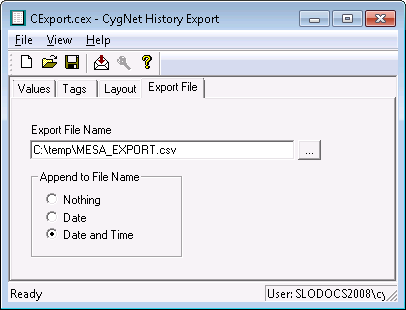
The following table lists and describes fields found on the Export File page of the CygNet History Export utility.
| Property | Description |
|---|---|
|
Export File Name |
You can type the file name/path in the Export File Name field or use … to select one. If a path is not specified, the file will be saved to the directory from which the executable was run. |
|
Append to File Name |
To append the date and time to the file name, select an Append to File Name option.
|

